@ahmetcantryk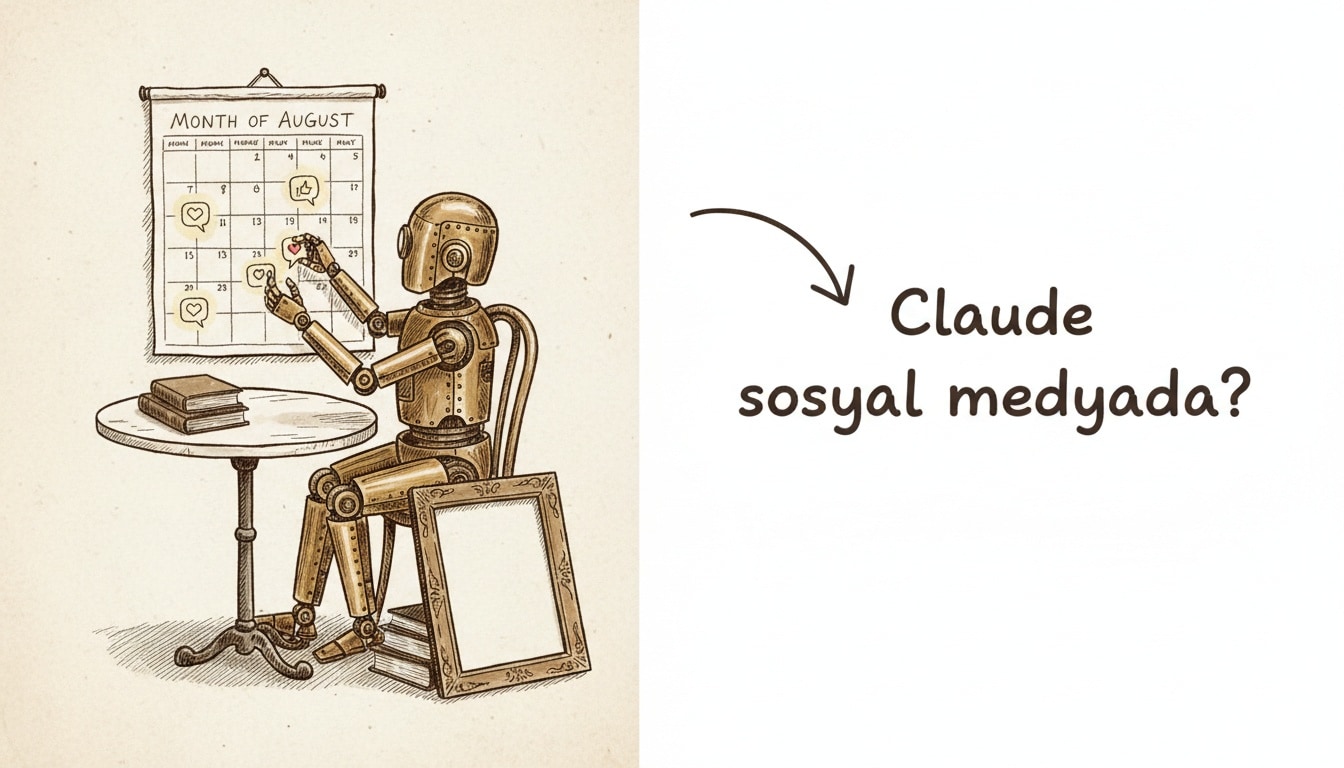
To use Claude for social media, set your brand voice once with a custom Style, batch a month of posts inside a Project, then feed your analytics back to sharpen the next batch. Claude writes threads, captions, Reels scripts, and comment replies in your tone — but it does not generate raster images on its own.
Quick start: plans, prices, and Turkey
No credit card is needed to start; the Free plan covers most solo creators. Here is how the plans price on claude.com/pricing in July 2026:
Plan | Price (USD) | What it gives social teams |
|---|---|---|
Free | $0 | Web search, Styles, file uploads, Artifacts — trials and low volume |
Pro | $17/mo (annual) or $20/mo | Unlimited Projects, higher usage, every model |
Max | From $100/mo (5x or 20x usage) | High volume, priority access — agencies and heavy use |
Team | $20/seat/mo (annual), $25 monthly | Shared Projects, no training on your content by default |
Turkey is a supported region for Claude.ai and the API (anthropic.com/supported-countries); there is no separate local tier and billing is in USD. For where Claude sits among rivals, see our most popular AI tools of 2026 pillar.
Set your brand voice: Styles and Projects
Two mechanisms handle this, both on every plan. A Style is a profile you build from the plus menu — upload a writing sample or describe the voice — and Claude captures your tone and word choices, then applies them per chat. A Project is a persistent workspace where you pin a brand guide and past top posts as instructions. Combine them: the Style carries tone, and the Project holds context.
BRAND VOICE GUIDE
- Personality: [3 adjectives]
- We do: [short sentences, concrete examples, second person]
- We don't: [jargon, hype, exclamation pileups, "unlock/leverage" cliches]
- Banned words: [list]
- Emoji policy: [none / minimal / liberal]
- CTA library: [3-5 ready calls to action]
- Example "good" post: [paste]
- Example "bad" post and why: [paste]
Platform by platform: six ready prompts
Content creation with Claude turns mechanical once the voice is set. Copy the six templates below, fill the brackets, and run them in your Project. Use Sonnet 5 for volume, Opus 4.8 for strategy and voice tuning.
X (Twitter) thread
Role: viral thread writer in [industry].
Topic: [topic]. Audience: [audience]. Goal: [follows/clicks/engagement].
Write one opening tweet (hook in the first 2 lines, NO hashtags),
then a 6-8 tweet thread. Keep each tweet <=270 characters and able
to stand on its own. End with one clear CTA.
Tone: [brand Style]. Also propose 3 alternative opening hooks.
LinkedIn post
Write a thought-leadership LinkedIn post. Topic: [topic].
Structure: 1-line hook + blank line + 120-200 word body +
3 bulleted takeaways + a CTA phrased as a question.
Minimal emoji, no jargon, no "AI-ness." Tone: professional-warm.
Produce 3 alternative hooks. Hashtags: 3 max, at the end.
Instagram caption + hashtags
Write an Instagram carousel/feed caption. Product/topic: [x].
Brand voice: [Style]. Structure: a first line that survives the
feed cutoff + 2-3 short paragraphs + CTA + 8-12 hashtags on their
own line (mix 5 niche, 4 mid, 3 broad-reach).
Give two versions: (a) playful (b) informative.
Reels / TikTok script
Write a 30-second Reels script. Topic: [x].
Return a table: [Time | Visual/action | On-screen text | Voiceover].
Open with a pattern-interrupt hook in the first 3 seconds. End with a
CTA plus a save/share nudge. Mark the pacing; don't invent a sound name.
Tone: [Style].
YouTube title + description
Video topic: [x].
1) Propose 5 titles (<=60 characters, CTR-driven but not clickbait,
   keyword first).
2) SEO description: first 2 lines carry the hook and main keyword,
   then a 150-word summary, a timestamp placeholder, and 3-5 hashtags.
3) Suggest 10 tags.
Community-management replies
Draft brand-voice replies to the comments below.
Sort them into: [praise / question / complaint / troll].
For complaints: empathy + ownership + a fix, never defensive.
For trolls: keep it short and kind, or suggest ignoring. Max 2 sentences each.
Comments: [paste]
A 30-day calendar in one session
Instead of writing posts one by one, generate the whole month in a single prompt. Open a Project ("Social Media — [Brand]"), upload your brand guide and past winners, then run this:
Using the brand voice in this Project, build a content calendar for July.
Output: a Markdown table [Day | Platform | Type | Hook | Full copy | Hashtags | Visual note | CTA].
Mix: 12 Instagram, 8 LinkedIn, 6 X thread ideas, 4 Reels scripts.
Theme clusters: [educational / product / social proof / behind-the-scenes].
No repeated hooks. Write in English.
Because a Project holds context persistently — up to 200k tokens — follow-ups like "rework day 15" or "shorten every LinkedIn post" stay on-brand without re-pasting. Export the table to Notion or Sheets. One caveat: 30 rich posts can push the Pro 5-hour window, so split them or use Max.
The analytics loop: feed the data back
Claude cannot pull live platform metrics itself — there is no built-in social API — but it reads the CSV, XLSX, and screenshots you export. The loop: export analytics, upload to the Project, and run this:
Review the attached analytics CSV.
1) Pull the top and bottom 5 posts by engagement rate.
2) Find what they share (format, time, length, hook type, hashtags).
3) Propose 5 testable hypotheses for the next 2 weeks.
4) Generate 10 new post ideas in the brand voice from those insights.
Give the output as a table plus a short executive summary.
Write the learnings back into the Project instructions, and the next batch comes out sharper. Wire in GA4 through Model Context Protocol (MCP) connectors to partly automate the loop.
Can Claude generate images?
Short answer: no. Claude does not generate photos or illustrations the way image-generation tools do — Anthropic says so plainly in its official support article. So do not expect Midjourney- or Nano Banana-style raster output. What it can do for social visuals is real:
- SVG carousel and quote-card templates — editable in Artifacts, brand-colored, exportable; ideal for text-heavy LinkedIn and Instagram carousels.
- Alt text — automatic alternative text for accessibility and reach.
- Image critique with Vision — upload a draft creative and ask for feedback on composition, legibility, and brand fit.
- Diagrams and charts — Mermaid and data viz for infographic-style posts.
- Raster generation via MCP — connect FLUX or Stable Diffusion through a connector; Claude writes the prompt, and the external model renders it.
In my view, forcing Claude to act as an image generator is the most common mistake — position it as your copy and concept engine and hand photorealistic work to a specialist tool. Our best AI image generators of 2026 roundup covers the options.
Do you have to label AI content?
None of the five platforms bans AI-written post copy or requires a label for it. The obligation attaches to realistic synthetic media — deepfakes, photorealistic images or audio. And Article 50 of the EU AI Act applies transparency duties from August 2, 2026, with fines up to €15M.
Platform | AI text/titles | Realistic synthetic media |
|---|---|---|
X (Twitter) | No label needed | Voluntary "Made with AI"; unlabeled realistic media risks revenue-share action |
Meta / Instagram | No label needed | Mandatory labels since May 2026; sponsored AI visuals/audio must disclose |
Disclosure advised | Disclosure required for AI-generated and AI-enhanced content | |
TikTok | No label needed | Realistic AIGC must be labeled; unlabeled draws immediate strikes |
YouTube | No label needed | Only realistic "altered content" is disclosed; scripts and titles are exempt |
In short: text and strategy stay free; labels are for synthetic media.
Claude vs ChatGPT for social media
Both are strong, but at different jobs. Claude sounds less "AI" on long copy and holds a brand voice better; ChatGPT is the all-in-one thanks to native image generation. For a deeper comparison, see our Gemini vs ChatGPT and ChatGPT complete guide.
Dimension | Claude | ChatGPT |
|---|---|---|
Long, human-sounding copy | Stronger, less "AI-ness" | Good but flatter on long copy |
Native image generation | No (SVG/diagrams + MCP) | Yes, strong raster generation |
Chat context window | 1M tokens (Sonnet 5/Opus 4.8) | Model-dependent |
Brand-voice tooling | Styles + Projects, every plan | Custom instructions + GPTs |
Entry price | Free; Pro $17–20/mo | Free; Plus comparable |
Best at | Copy, strategy, analysis | All-in-one, visuals included |
Two mini cases
Local cafe (Instagram-first): The owner builds a "Cafe [X]" Project and uploads the menu, drink photos, and a warm, casual Style. One session yields 20 captions, 8 Reels scripts, and hashtag sets mixing local (#istanbulcoffee) and niche tags. Weekly, an Instagram Insights CSV goes in; Claude finds Reels beat static posts 3 to 1, and the next batch shifts to video. The captions need no label.
B2B SaaS (LinkedIn + X, bilingual): The marketing lead uploads a positioning doc, the ICP, and five top posts into a Project. Opus 4.8 drafts a 30-day thought-leadership calendar: LinkedIn carousels (SVG Artifact templates), X threads spun from blog posts, and a reply bank for inbound comments. Analytics on the LinkedIn export show "contrarian hook" posts drive twice the comments — a finding written straight into the Style. Its AI-enhanced product images are disclosed per LinkedIn's terms.
Frequently Asked Questions
Can I use Claude for social media for free?
Yes. The Free plan offers the core features — Styles and Artifacts included — at $0, enough for low-volume production. If you work regularly, Pro ($17–20/mo) adds unlimited Projects and higher usage.
Can Claude generate images?
No, it does not natively generate raster photos or illustrations. It can produce SVG carousels, diagrams, and charts, and critique images you upload with Vision; for photorealistic visuals it connects to an external model through MCP.
How do I set a brand voice in Claude?
Two ways: a custom Style from a writing sample or description, or a persistent Project whose instructions hold your brand guide. Best results come from combining both.
Do I have to disclose AI-generated social posts?
For copy, captions, and scripts, usually no. The duty applies to realistic synthetic media — deepfakes, photorealistic images or audio — governed by platform rules and, from August 2, 2026, Article 50 of the EU AI Act. For more, see our AI category.