@ahmetcantryk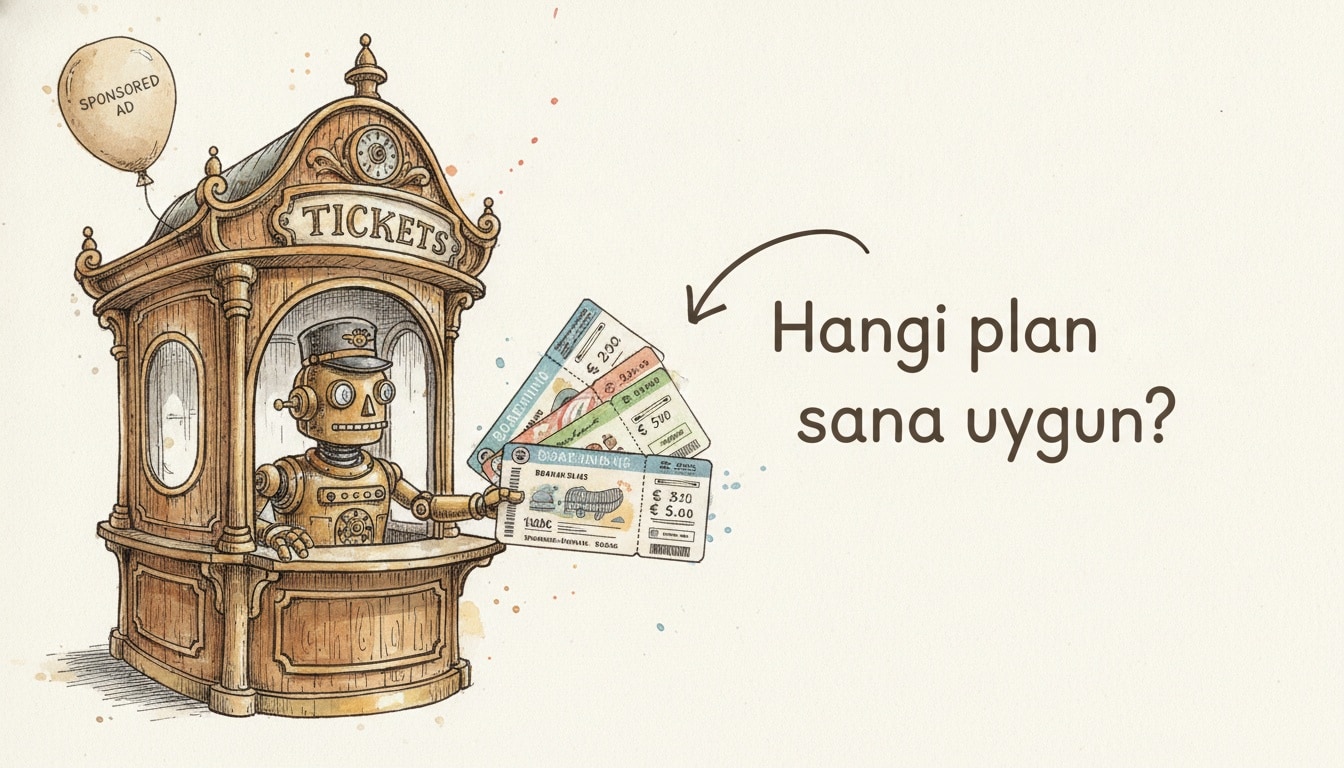
To use ChatGPT, go to chatgpt.com, create an account, and type your question into the message box. The free tier handles most everyday tasks, but as of July 2026 it now shows ads and locks the newest model behind paid plans. This guide covers getting started from scratch, choosing a plan, and getting measurably better answers.
How to get started with ChatGPT
Signup is quick: open chatgpt.com, log in with email or a Google/Apple account, then type in plain language into the box at the bottom. Something like "rewrite this email in a friendlier tone" or "summarize this table in three bullets" works fine. ChatGPT is not a search engine — you do not need keywords, just describe what you want in ordinary sentences.
The app runs on web, iOS, Android, and desktop, all sharing one account. Voice chat and camera input feel best on mobile, while file drag-and-drop is smoother on desktop. If you want the wider landscape before committing to any one tool, our roundup of the most popular AI tools in 2026 ranks the whole field by real usage data.
The free tier now shows ads
The biggest 2026 change is this: since February 9, 2026, ChatGPT's free tier shows ads. As MacRumors reported, ads appear only on the Free and Go tiers, to logged-in adult users, labeled "sponsored" beneath the answer and kept visually separate from the response. OpenAI says ads do not influence the model's answers.
If you would rather not see ads, you have two options: upgrade to Plus or Pro, or opt out in exchange for fewer daily free messages. So the free tier is still useful — you just walk in knowing that "free" now comes with a small catch.
ChatGPT plans compared (July 2026)
The prices below were verified against OpenAI's pricing page in July 2026, and the newer $8 Go plan was announced by OpenAI itself. The $100 version of the Pro tier launched on April 9, 2026; both Pro options share the same model suite, and the difference is usage limits.
Plan | Monthly price | Best for | Standout limitation |
|---|---|---|---|
Free | $0 (ad-supported since Feb 9, 2026) | Everyday use on GPT-5.5 Instant | Shows ads; drops to a mini model after ~10 msgs / 5h; no newest model |
Go | $8/mo | Light users who want higher limits | Also ad-supported; fewer power features than Plus |
Plus | $20/mo (monthly only) | Most people: ad-free, full features, GPT-5.6 | No annual discount option |
Pro (5x) | $100/mo (launched Apr 9, 2026) | Heavy users needing ~5x Plus usage | Overkill for casual users |
Pro (max) | $200/mo | Maximum reasoning, pro workflows | Expensive; most people never need it |
Business | $20/seat annual ($25 monthly) | Teams needing a shared workspace and admin | Per-seat billing; needs org setup |
Which model each plan unlocks
Model access is the single most important difference between tiers. On Free and Go, the default is GPT-5.5 Instant — fast and fine for everyday work, but not the newest release. Plus and above unlock GPT-5.6, which brings longer reasoning and more consistent long-document analysis. We covered its general-availability rollout, and Codex moving into the ChatGPT desktop app, separately: GPT-5.6 goes GA.
The practical takeaway: if you ask the occasional question, you rarely feel the difference with GPT-5.5 Instant. If you work regularly with code, complex analysis, or long drafts, GPT-5.6's extra consistency is what justifies the Plus fee.
Voice, images, files, memory, and custom GPTs
ChatGPT is no longer just a text box. The standout capabilities:
- Voice mode: In the mobile app you can tap the mic, talk, and hear ChatGPT reply out loud. Handy for taking notes on the move or practicing a language.
- Image generation and reading: Upload a photo and ask "what does this say," or have it generate an image from scratch. To compare tools on the image side, see our guide to the best AI image generators in 2026.
- File uploads: Drop in a PDF, Excel, or CSV to summarize, extract tables, or ask questions about the contents.
- Memory: ChatGPT can remember preferences across chats (say, which language you write in, or your tone); you can toggle it on or off in settings.
- Custom GPTs: Build mini-assistants with your own instructions for a specific job, or use ready-made ones others have published.
Four prompt patterns for better answers
Asking the same question more precisely improves answer quality in measurable ways. Here are four patterns that reliably pay off.
First, state role, goal, and format in a single line:
Act as an experienced editor. Cut the paragraph below to 100 words and
shift it to a formal tone. Return one paragraph, no bullet points.
Second, show an example of the output you want (few-shot); the model imitates the format:
Turn a product name into a marketing tagline. Example:
Input: "Thermos" -> Output: "Your morning coffee, still hot at noon."
Now do this: Input: "Wireless earbuds" -> Output:
Third, on complex tasks, ask it to work step by step and name the criteria explicitly:
Compare these three holiday plans on budget, travel time, and weather.
Evaluate each criterion separately first, then end with one recommendation.
Fourth, hand over context and constraints up front; this cuts the "made-up" answers that come from guessing:
Context: I'm writing an Instagram post for a small cafe, audience is
university students. No emoji, no more than 2 sentences, no prices.
We go deeper into why these patterns work, and more, in our prompt engineering patterns guide.
When you should not pay
Let me be honest: most people do not need Pro, and plenty do fine without ever moving from the free tier to Plus. If you ask a few questions a day, edit text occasionally, or bounce around ideas, the free tier is more than enough — and if the ads do not bother you, there is no concrete payoff to paying.
Upgrading to Plus ($20) makes sense the moment you regularly hit one of three things: constantly bumping into free limits, actually needing GPT-5.6, or wanting an ad-free experience. Pro's $100 and $200 tiers are for genuinely heavy users — the handful who code for hours a day, wrestle with long documents, or hit the top reasoning ceiling. If you are unsure, start with Plus; jumping to Pro before you feel the limits is usually wasted money.
If you are torn between two assistants, we put the similarly priced alternative side by side in our Gemini vs ChatGPT comparison. For more on the space, browse our AI category.
Frequently Asked Questions
Is ChatGPT free to use in 2026?
Yes, there is a free tier that runs on the GPT-5.5 Instant model. But since February 9, 2026, the Free and Go tiers show ads; there is also a daily message limit, and the newest GPT-5.6 model is not available on the free tier.
What is the difference between ChatGPT Plus and Pro?
Plus is $20/mo, is ad-free, and unlocks the full feature set including GPT-5.6 — for most people, this is the plan to get. Pro comes in two options, $100 or $200, and mainly offers much higher usage limits and maximum reasoning; it only makes sense for heavy users.
Which ChatGPT plan is best for me?
If you use it occasionally, the free tier is enough. If you keep hitting limits but want an ad-free experience and the newest model, Plus ($20) is the right pick. If you work intensively for hours a day, weigh Pro; if you are a team, consider Business for shared admin.
Does ChatGPT show ads now?
Yes. Since February 9, 2026, logged-in adult users on the Free and Go tiers see ads labeled "sponsored" beneath the answer. You can remove them by upgrading to Plus or Pro, or by using the opt-out that trades ads for fewer daily messages.