@ahmetcantryk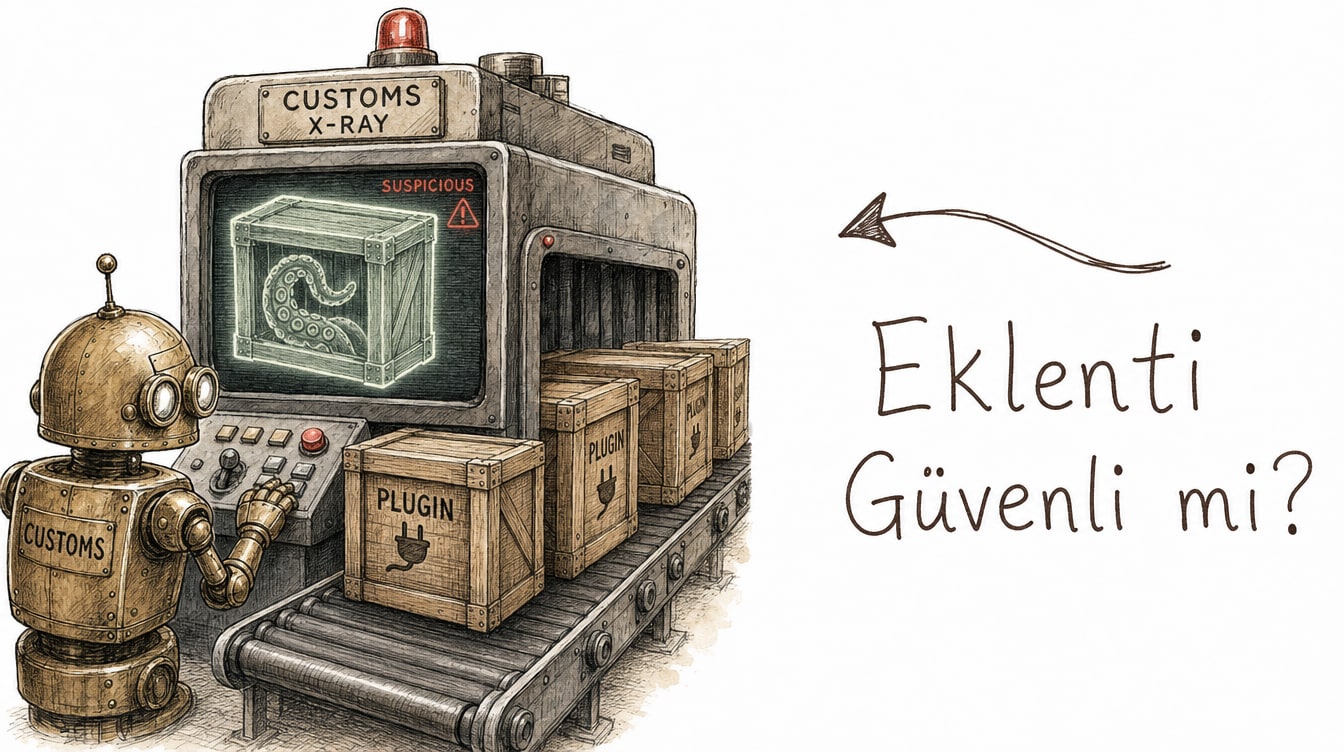
Claude skill and plugin security scanning is an automatic malicious-content check that Anthropic released in beta for Claude Enterprise plans in August 2026. It runs the moment someone uploads or edits a third-party skill or plugin in Claude, Claude Cowork, or an Enterprise plugin marketplace, processes the content in an isolated environment, and returns one of three results: pass, warn, or fail.
In practical terms, you no longer have to take a downloaded skill's instructions on faith. The system checks it before it ever runs.
How the scan actually works
The mechanism has three parts, and isolation is what makes each one meaningful.
The scan triggers automatically the instant a third-party skill or plugin is uploaded or edited — no manual approval step required. The content is processed in a secure, isolated environment that is kept entirely separate from normal Claude sessions, meaning the scanned copy never touches a user's real conversations or tool access. Once the scan finishes, that copy is deleted; only the result and basic metadata are retained. Anthropic isn't keeping a permanent archive of the skill itself, just the record of whether it passed, warned, or failed.
The result lands in one of three states:
Result | What it means | What the user can do |
|---|---|---|
Pass | No malicious pattern detected | Skill or plugin can be used normally |
Warn | Suspicious but not conclusively malicious | User is notified; use can typically continue |
Fail | Malicious content detected | Skill/plugin is blocked, with a banner explaining why |
Most scans finish in about 1–2 minutes. Results are cached, so re-uploading the same skill returns a result almost instantly instead of triggering a fresh scan every time.
When a user hits a fail result, the banner they see reads roughly like this:
⚠ This skill cannot be used
Security scanning detected potentially malicious instructions
in this content: a section containing hidden prompt injection
attempted to trigger unauthorized command execution.

Status: FAILED
Scan duration: 47 seconds
This skill has been blocked for this account.
That specificity matters. The banner does not just say "blocked" — it says why. In an enterprise setting, that saves a security team hours of answering "why is this tool disallowed" tickets. Setup and scope details are covered in Anthropic's support article.
Why this exists now
The skill and plugin marketplace ecosystem has grown fast over the past year. A skill is, technically, a package of instructions and code someone else wrote and shared, pulled directly into Claude's context. The problem: installing a third-party skill means folding an effectively unreviewed piece of code into your agent's behavior — much like adding an unvetted npm package to your project, except the risk targets the agent's own behavior rather than your application's data.
That's a different face of the supply-chain risk we covered in our agentjacking piece. There, an attacker planted poisoned instructions in a telemetry channel the agent already trusted; here, the risk originates directly from the skill being installed. Both trace back to the same root issue: to a language model, text is instruction, and where that text came from doesn't automatically make it trustworthy. Our coverage of AI slop and open-source security makes a related point — in a fast-growing ecosystem, "popular" is not the same thing as "safe."
Anthropic shipping this scanner now is not a coincidence. As the marketplace grows, so does the volume of unreviewed content flowing through it, and for enterprise customers that stopped being an ignorable risk a while ago.
Don't confuse this with Claude Security
Anthropic announced a second, distinct security product around the same window: Claude Security. It solves a different problem, and conflating the two is an easy mistake to make.
Feature | Skill/Plugin Security Scanning | Claude Security |
|---|---|---|
What it scans | Uploaded or edited skill and plugin content | Codebases |
Trigger | Automatic, on upload or edit | Manual or integrated run |
Method | Isolated-environment malicious-content detection | Multi-agent analysis; traces data flows across files |
What it finds | Prompt injection, hidden instructions, malicious behavior patterns | Complex, multi-component vulnerabilities |
Status | Beta, Claude Enterprise | Public beta, Claude Enterprise |
Put simply, skill and plugin scanning answers "can I trust this instruction package," while Claude Security answers "does this codebase have a vulnerability." One protects the agent's own behavior, the other protects the code you write or maintain. Claude Security's product page describes it as a multi-agent scanner that understands context across your codebase; MarkTechPost's coverage highlights its distinguishing trait as catching complex, multi-file data-flow patterns that traditional static scanners routinely miss.
Realistic limits: not a silver bullet
It's worth tempering the enthusiasm a bit here. The feature is currently limited to Claude Enterprise plans and is still in beta. Individual users and Pro-plan subscribers do not get this protection, at least for now.
More importantly, this is not a silver bullet. Automated scanning is likely good at catching known malicious patterns and blatant prompt-injection attempts, but there's no guarantee it will always catch subtly disguised, context-specific malicious intent. A pass result does not mean "you never need to review this skill" — it means known danger signals were not observed. Teams putting third-party skills into critical workflows should still fold them into their own review process.
Honestly, the real value of this kind of automated scanning isn't catching everything — it's providing a cheap, fast first filter that reduces how often and how deeply human review needs to happen, rather than replacing it outright. Viewed that way, the feature is genuinely useful. Viewed as "now I don't need a security team," it's misleading.
A practical checklist for teams
For teams adopting third-party skills and plugins, a few concrete steps:
- Confirm the setting is on. Check your Enterprise admin settings to make sure scanning is enabled on your account — beta features sometimes roll out gradually.
- Don't wave off warn results. They're less dramatic than a fail, but a warn usually has a reason behind it and deserves at least a quick manual look.
- Verify the source before adopting a skill into critical workflows. Regardless of the scan result, a developer's reputation and code history are still a meaningful signal.
- Keep separate protections against runaway agent behavior. Skill scanning protects the entry point; runtime behavior boundaries are a separate layer.
- Scan your codebases with Claude Security too. Skill scanning and codebase scanning are not substitutes for each other — they're complementary.
- Learn from past incidents. Cases like the friendly-fire exploit in Claude Code are a reminder that in agentic tooling, "looks authorized" and "is safe" are not the same thing.
If you're weighing broader model and tooling choices, our 2026 Claude model guide is a useful reference for understanding which plan tiers get which security features. For more coverage of the wider AI landscape, browse our AI category.
Frequently Asked Questions
Which plans include Claude skill and plugin security scanning?
It's currently limited to Claude Enterprise plans and is in beta. It covers Claude, Claude Cowork, and Enterprise plugin marketplaces; Pro and free-tier users do not have it yet.
What happens if a scan returns a "warn" result?
The skill or plugin can typically still be used, but the user is notified that something suspicious was detected. Unlike a fail result, warn does not automatically block usage — it's more of a proceed-with-caution signal.
Is skill/plugin scanning the same thing as Claude Security?
No. Skill and plugin scanning checks the content of uploaded or edited third-party skills and plugins for malicious instructions. Claude Security is a separate product: a multi-agent scanner that examines your codebases, tracing data flows across files to find complex vulnerabilities. They target different risks and don't substitute for each other.
Does this scanning catch every malicious skill?
No, and it's important not to assume it does. Automated scanning is likely effective at catching known malicious patterns and blatant prompt-injection attempts, but there's no guarantee it detects every subtle threat. For skills going into critical workflows especially, it still makes sense to keep your own team review in place.